Shopify
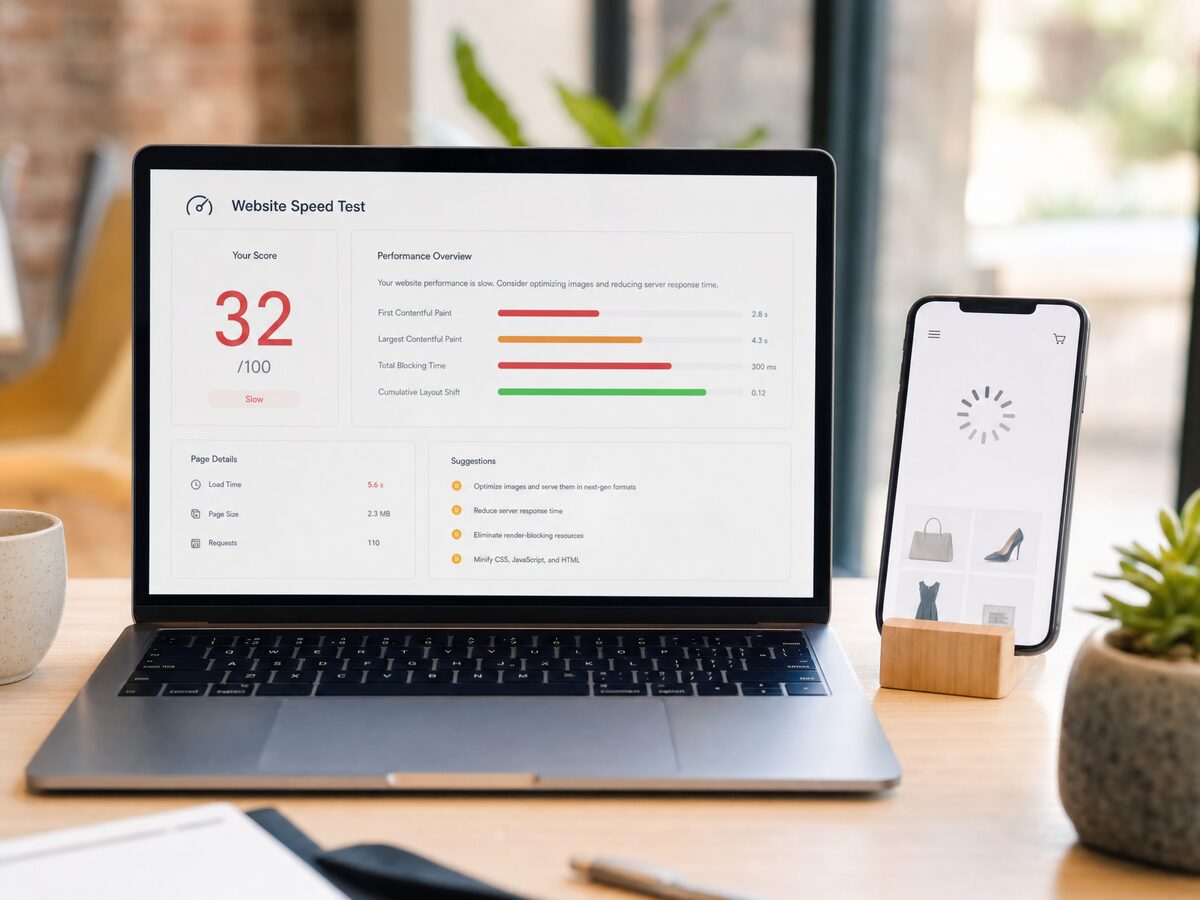
A store that loaded fine at launch and feels sluggish a year later almost always has the same diagnosis: accumulated app weight. Each app you install injects its own scripts and stylesheets into every page. Install twenty apps over two years and your product page is now waiting on twenty separate sets of code before it becomes usable — including code from apps you removed months ago, because Shopify apps rarely uninstall cleanly. The leftover scripts keep loading, keep executing, and keep costing you time on every visit.
The cost is not abstract. Google's research puts the conversion impact of a one-to-three-second delay at up to 20 percent, and more than half of mobile visitors leave a page that takes over three seconds. Mobile matters most here because it now carries the majority of e-commerce traffic and phones have less processing power to churn through bloated JavaScript.
Here is the audit we run on client stores, in order:
1. List every installed app and mark the ones the business actually uses. Most stores we audit are running features in two or three apps that overlap completely — a reviews app, a bundle app, and an upsell app each loading their own popup library.
2. Check for orphaned code from uninstalled apps. Open theme.liquid and the sections files and look for script tags referencing apps you no longer have. This is manual work, which is why it rarely gets done — and why it is usually the biggest single win.
3. Replace heavy third-party features with native Shopify equivalents where they exist. Shopify's built-in review and search functions have improved to the point that many stores no longer need the third-party versions they installed in 2022.
4. Measure the real journey, not just the homepage score. A store can post a decent speed score and still lose sales because the cart drawer takes four seconds to respond after a discount code fires. Test add-to-cart, discount application, and checkout entry under real conditions.
5. Re-test on an actual mid-range phone, not a desktop browser in mobile mode. The difference is regularly two to three seconds.
A store that has never been audited typically comes out of this process one to three seconds faster on mobile with no visual changes at all. If your store has been live for more than a year and nobody has ever cleaned the theme code, that speed is sitting there waiting to be recovered.
The cost is not abstract. Google's research puts the conversion impact of a one-to-three-second delay at up to 20 percent, and more than half of mobile visitors leave a page that takes over three seconds. Mobile matters most here because it now carries the majority of e-commerce traffic and phones have less processing power to churn through bloated JavaScript.
Here is the audit we run on client stores, in order:
1. List every installed app and mark the ones the business actually uses. Most stores we audit are running features in two or three apps that overlap completely — a reviews app, a bundle app, and an upsell app each loading their own popup library.
2. Check for orphaned code from uninstalled apps. Open theme.liquid and the sections files and look for script tags referencing apps you no longer have. This is manual work, which is why it rarely gets done — and why it is usually the biggest single win.
3. Replace heavy third-party features with native Shopify equivalents where they exist. Shopify's built-in review and search functions have improved to the point that many stores no longer need the third-party versions they installed in 2022.
4. Measure the real journey, not just the homepage score. A store can post a decent speed score and still lose sales because the cart drawer takes four seconds to respond after a discount code fires. Test add-to-cart, discount application, and checkout entry under real conditions.
5. Re-test on an actual mid-range phone, not a desktop browser in mobile mode. The difference is regularly two to three seconds.
A store that has never been audited typically comes out of this process one to three seconds faster on mobile with no visual changes at all. If your store has been live for more than a year and nobody has ever cleaned the theme code, that speed is sitting there waiting to be recovered.